![]() |
||||||||||||||||
|
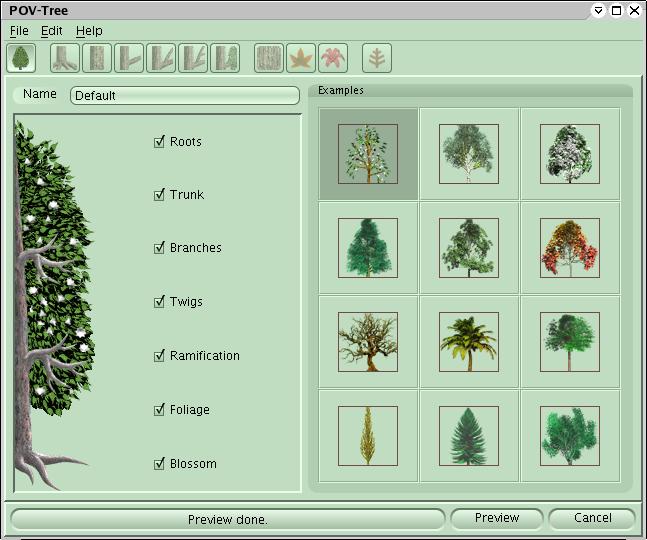
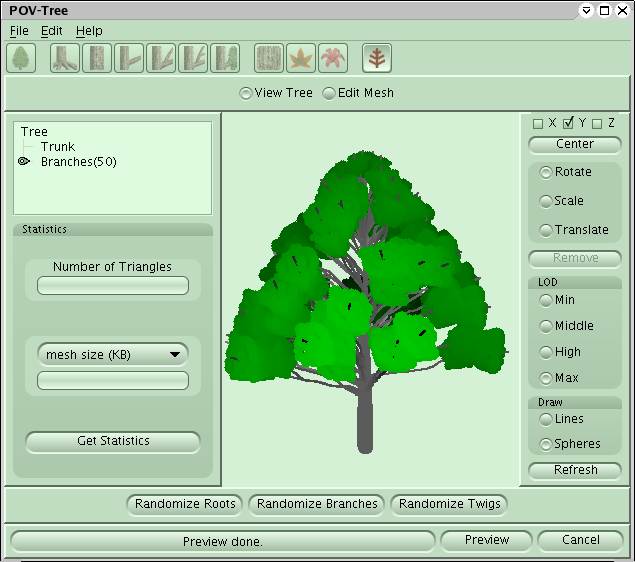
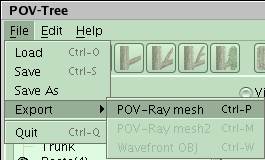
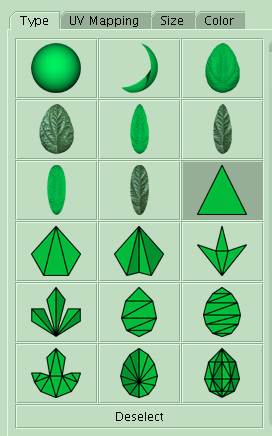
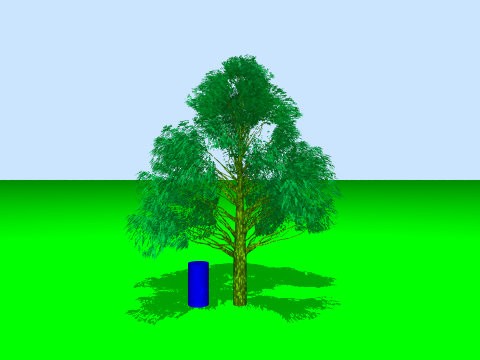
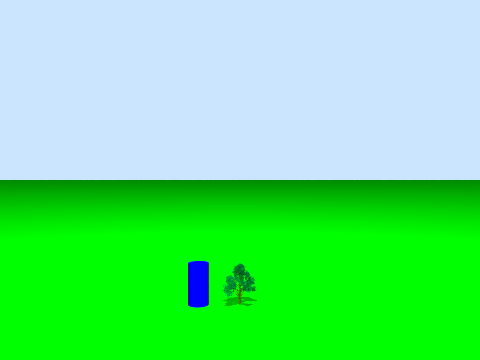
Quick And Dirty: Creating A Tree With POV-Treeby Mike KostIntroductionGood trees enhance the realism of a setting. Unfortunately, Povray does not facilitate easy tree creation using SDL commands. Trees are complex beasties and difficult to describe using spheres, boxes, and cylinders without some automation. A number of Povray macros and plant modeling programs have come to the rescue. This Quick and Dirty tutorial will focus on POV-Tree and illustrate how to generate a tree, export the tree, and include it in a Povray scene.POV-TreePOV-Tree is a freeware program that provides a GUI and added features around the TOMTREE.INC Povray macro developed by Tom Aust. POV-Tree allows flexible customization of trees and exports meshes as include files. POV-Tree includes examples for birch, cherry, eucalyptus, linden, maple, olive, palm, pine, poplar, spruce, and willow trees.To get POV-Tree, grab it from the POV-Tree download page. POV-Tree does run on Java, so you need a reasonably up-to-date version (1.3.1 or greater). If you're missing Java, head over to Sun Microsystems to get the latest Java version. Running POV-TreeFor Windows users, you should be able to double-click on the povtree.jar file that was in the POV-Tree download. Linux users need to run the following command line;java -jar povtree.jarAfter starting up POV-Tree, you're greeted with the opening screen ![]() From here, click on an example tree, this tutorial will use eucalyptus, and click the "Preview" button. POV-Tree will compute for a minute and take you to the Review screen. From here, it is possible to view the generated tree. To see things more clearly, click on "Max" under LOD (Level Of Detail) and "Spheres" under Draw. This may slow down older processors, but it greatly enhances the viewing quality. ![]() If the current tree isn't cutting it, clicking "Randomize Roots", "Randomize Branches", and "Randomize Twigs" will change the seed number used as part of the tree generation process and produce new tree shapes. Play around for a bit and get a tree that's ready for rendering. Exporting A TreeTo export a tree to a mesh file, either hit Ctrl-P or use the menus to select File->Export->POV-Ray mesh. It will prompt you for a file name and location. For this tutorial, we're exporting tree_mesh.inc. As a warning, the trees can get large, easily exceeding 20 MB for POV-Tree example cases and over 100 MB if you export greater detail. Be warned!![]() If an error window saying "Please select mesh leaf type and make preview" pops up, the leaf type needs to be modified to support a mesh export[1]. To change the leaf type, click over to the Foliage window and select one of the leaf shapes that looks like it's assembled from triangles. ![]() Rendering The TreeThe exported include file contains 3 declares that define the tree that are of interest while placing the tree inside a sceneThe FOLIAGE, WOOD, and TREE objects define a tree that's 1 unit tall. To instantiate the tree, use the following Povray code #include "tree_mesh.inc"Yes, that's it. Pretty easy stuff. Below is a unit tree rendering with a unit cylinder (radius = 0.25) for comparison. Click on the image to get the .pov file. ![]() To get the tree up to full size, the following code is used #include "tree_mesh.inc"Below is a full-sized tree rendering. Click on the image to get the .pov file. ![]() Additional ReadingUnfortunately, there's very little on POV-Tree, much less Povray tree generators in general, on the Internet. Hopefully that'll change over the coming months (we'll do our part), but until then, a few Internet scraps:Notes and Disclaimers[1] - Besides exporting trees to meshes, it's also possible to have POV-Tree export an include file that sets up declares for invoking TOMTREE.INC. This allows the full set of leaf styles to be used, but this method of exporting and rendering trees was not addressed in this Quick and Dirty. This is also the format POV-Tree uses to save trees that can be loaded back into POV-Tree. This is an interesting side topic and left as an exercise for the reader for now.Last edited: 06/15/05 Copyright (C) 2005 Mike Kost | |||||||||||||||